MAJORD
Majord / Customization

Everything configures from a web back-office, no code required

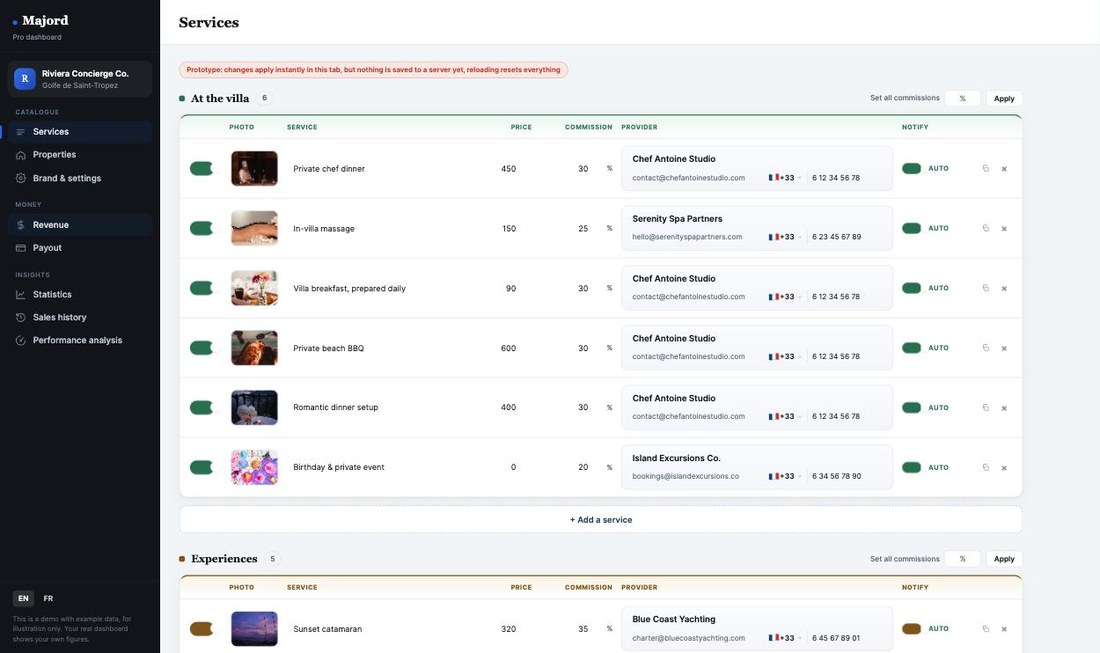
Every agency gets two ways in: a quick live-preview toggle next to the guest app for fast edits from any device, and a genuine desktop-native Pro dashboard, built for a large screen, for setting up the full catalog and running the business day to day.
No code, ever

What you can configure

Where you work

Desktop or mobile, depending on the task

The live-preview toggle next to the guest app works from a phone, for a quick price update or a photo swap on the go. The Pro dashboard is desktop-native, built for a large screen, for setting up a full catalog or reviewing revenue and statistics comfortably.

Why it matters

No developer, no waiting

Because every setting lives in the back-office, an agency does not depend on a developer or a support ticket to change a price, add a service, or refresh the welcome message before a new season. What you type is what your guests see, immediately.

Cost

Everything in the back-office is free

Every option described above (branding, services, prices, photos, content, languages) is free, with no extra cost, for every agency using Majord. If an agency wants a specific feature that is not part of the standard back-office, Majord can offer personalized developer support, evaluated case by case.

Going further

A fully custom app is also possible

For agencies wanting their own design or particular features beyond the back-office, a fully custom app remains possible, with its own developer account for app-store publishing. Costs are defined based on the level of customization requested. Everything described above stays free and needs no developer account of any kind.

The tool itself

This is the back-office

Not a mockup. The Pro dashboard as it runs today, with example data.

majord · pro dashboard
Majord Pro dashboard, revenue view
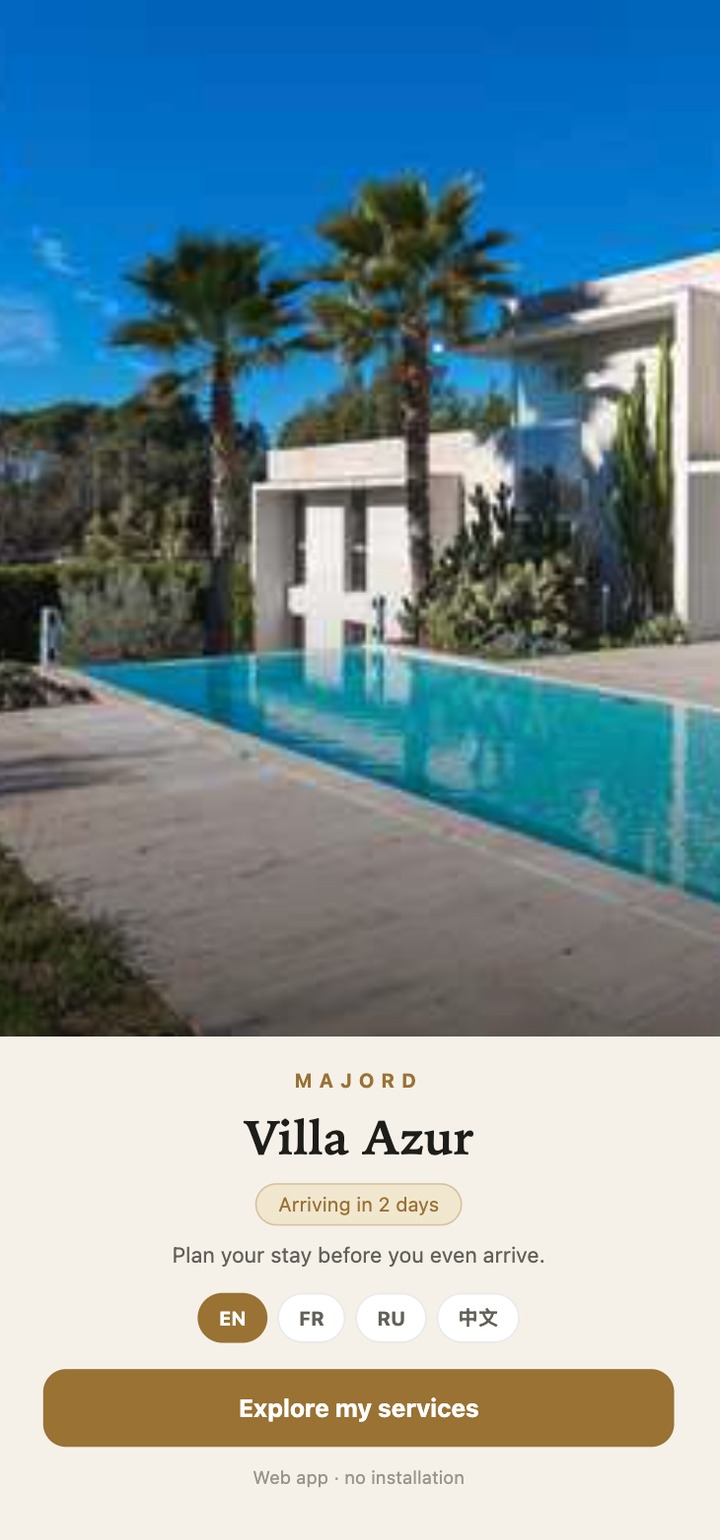
Before customization
Before
The product out of the box
After customization
After
Configured by the agency itself, no code

Try the back-office yourself

Open it directly, no login required for this demo: edit the agency name, colors, welcome message, and the service catalog with prices, commissions and photos, and watch the guest side update live. This toggle is a quick preview next to the guest app. For the full desktop back-office, services, settings, payouts, revenue and statistics in one place, visit the demos page and open the Pro dashboard.